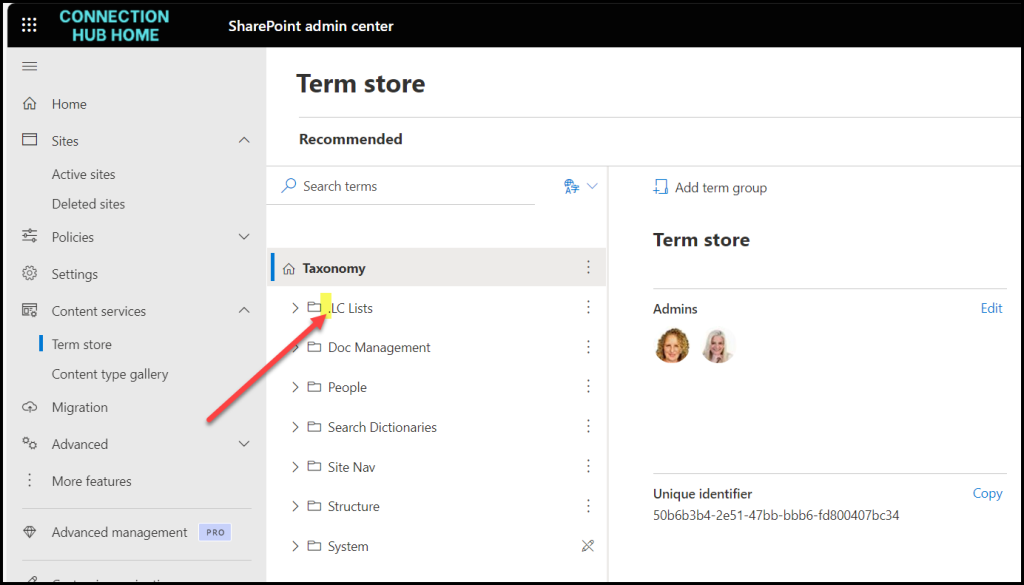
aka Term Store. We like to abbreviate the Managed Metadata Service in MMS.
Managed Metadata is metadata that gets created in the SharePoint Admin Centre that can then be used on every single site collection in the tenant.
It is (supposed to be) highly structured and formally managed so everyone can use it properly.
HOT TIP
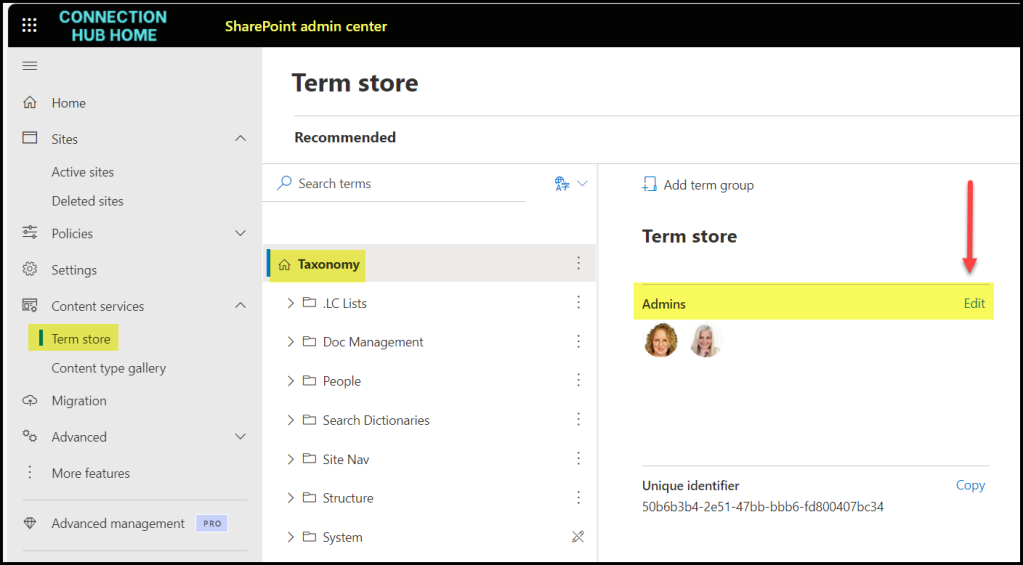
You need to be a dedicated Term Store Administrator to add or edit managed metadata. Even if you have SharePoint Admin rights on your tenant, you still need to yourself as a Term Store Admin to do anything in there.
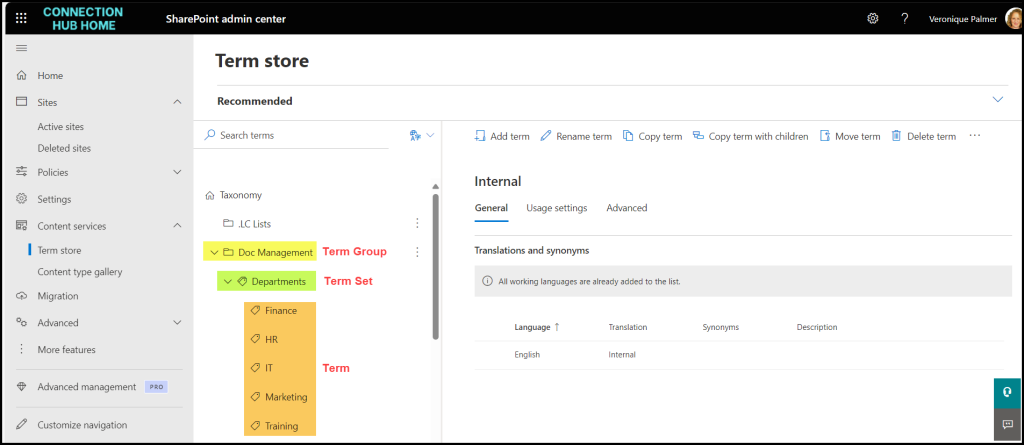
You get 3 levels of terms, Term Groups, Term Sets and Terms.
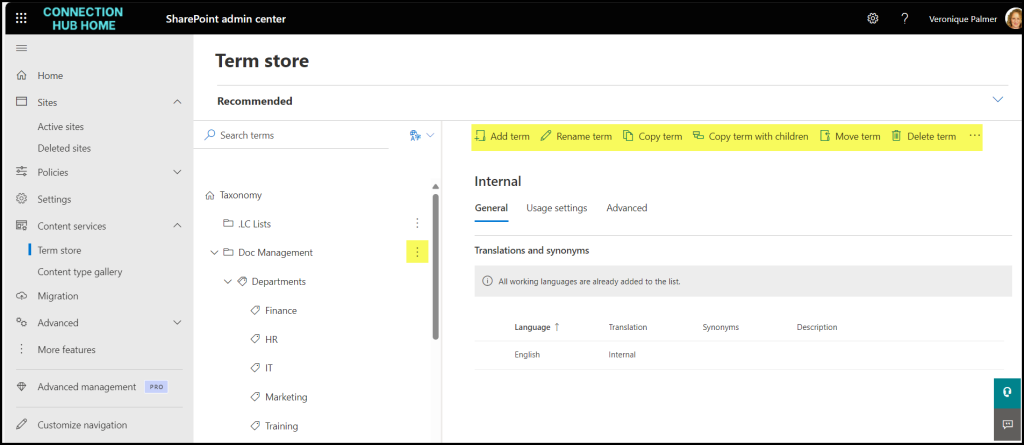
Edit them using the menu or elipse.
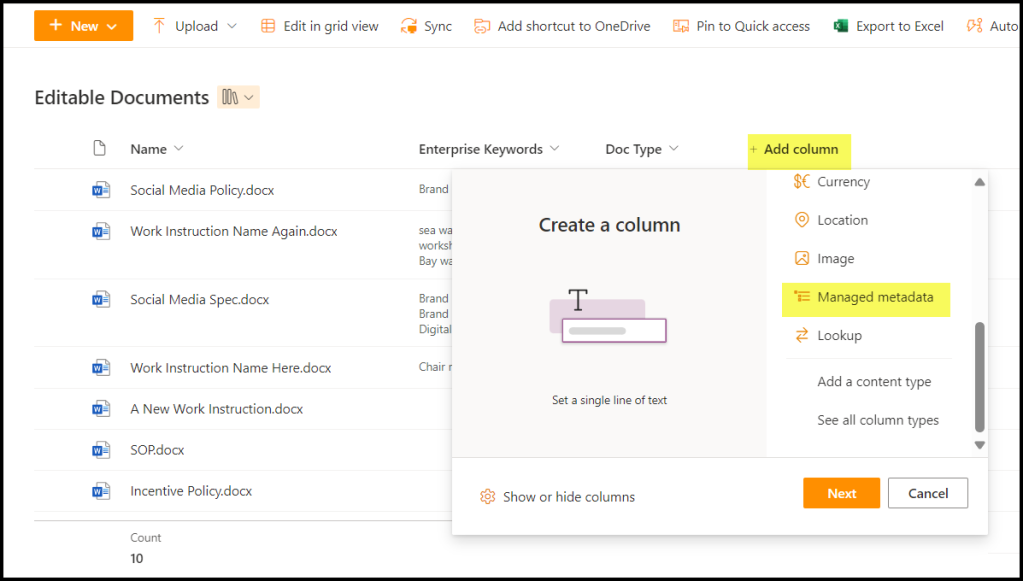
Add them into a list or library but selecting Managed Metadata from Add a Column.
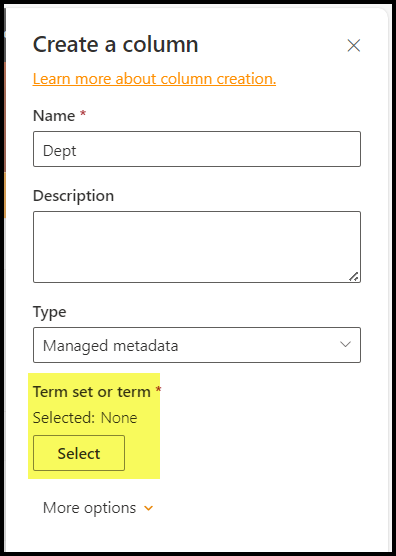
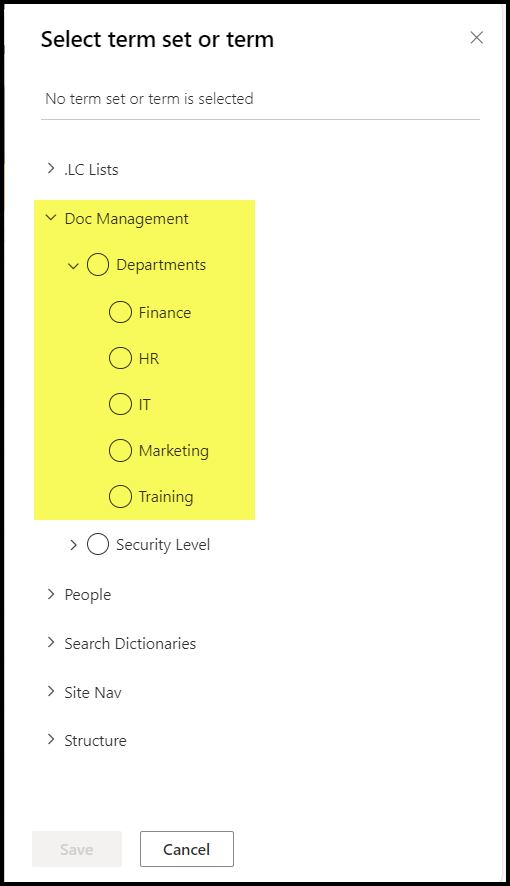
Click to select the term group. or set or term.
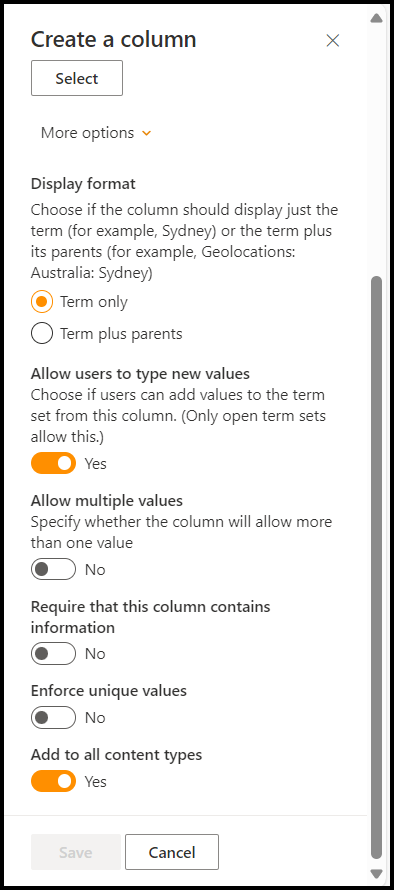
Then configure the rest of the column as required.
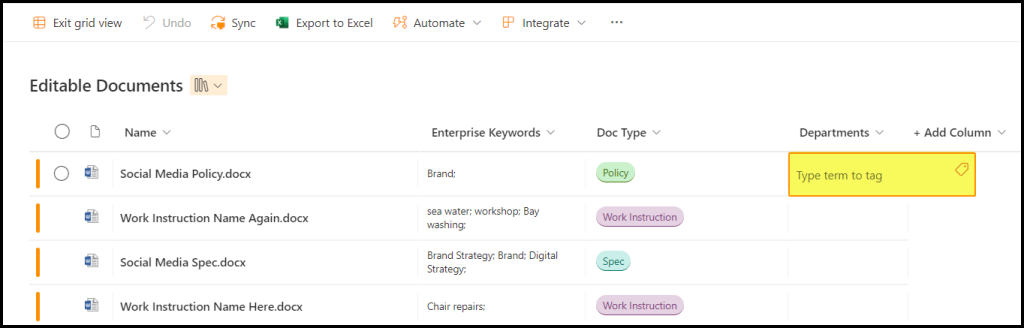
Then when using Quick Edit on list / library level, it will look like this. You can either start typing values that will populate, or click the tag to view available options.
HEADS UP
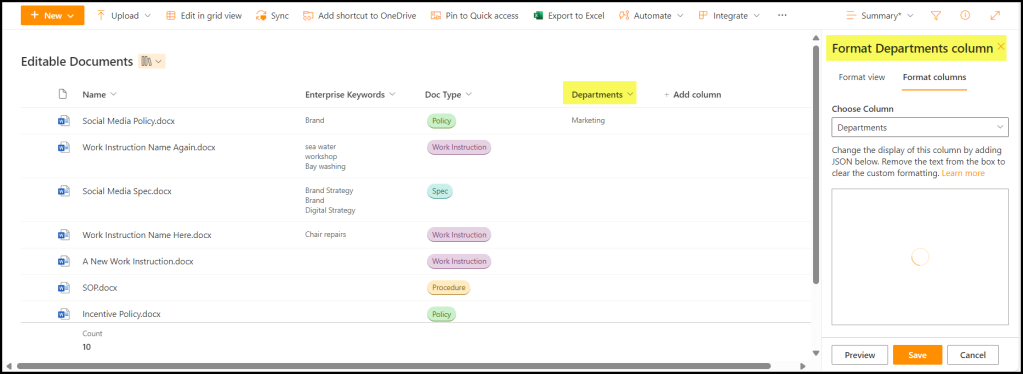
You can’t format the fields like you can with a choice field. You’d have to write a whole lot of code to make it colourful like the Doc Type column is.
HOT TIP
If you’re going to have a lot of term groups, put a fullstop in front of the biggest one, most official one, most used one, etc. It will bypass the alphabetical list and put it at the top of the log.