Document Versioning
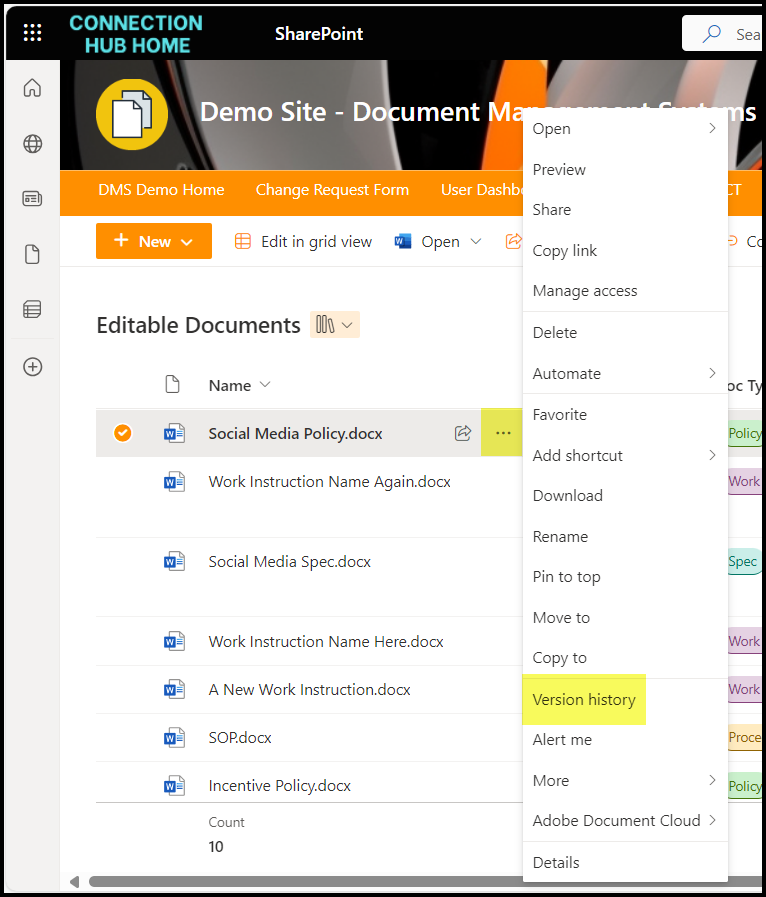
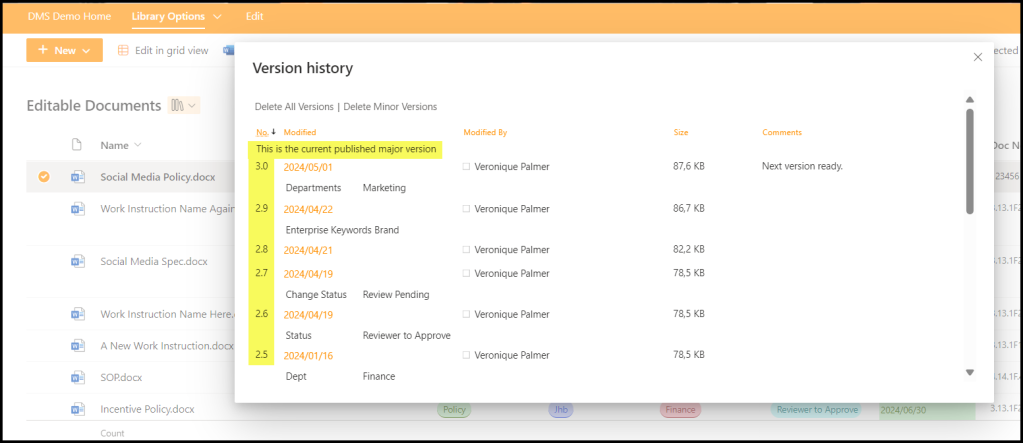
You can have major and minor versioning on a library. Click the dots next to a document and then Version History.
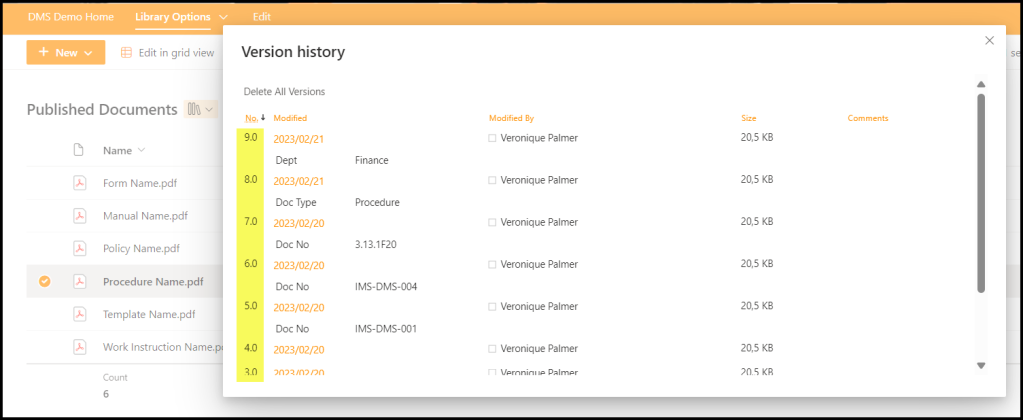
This is major versioning.
This is minor versioning.
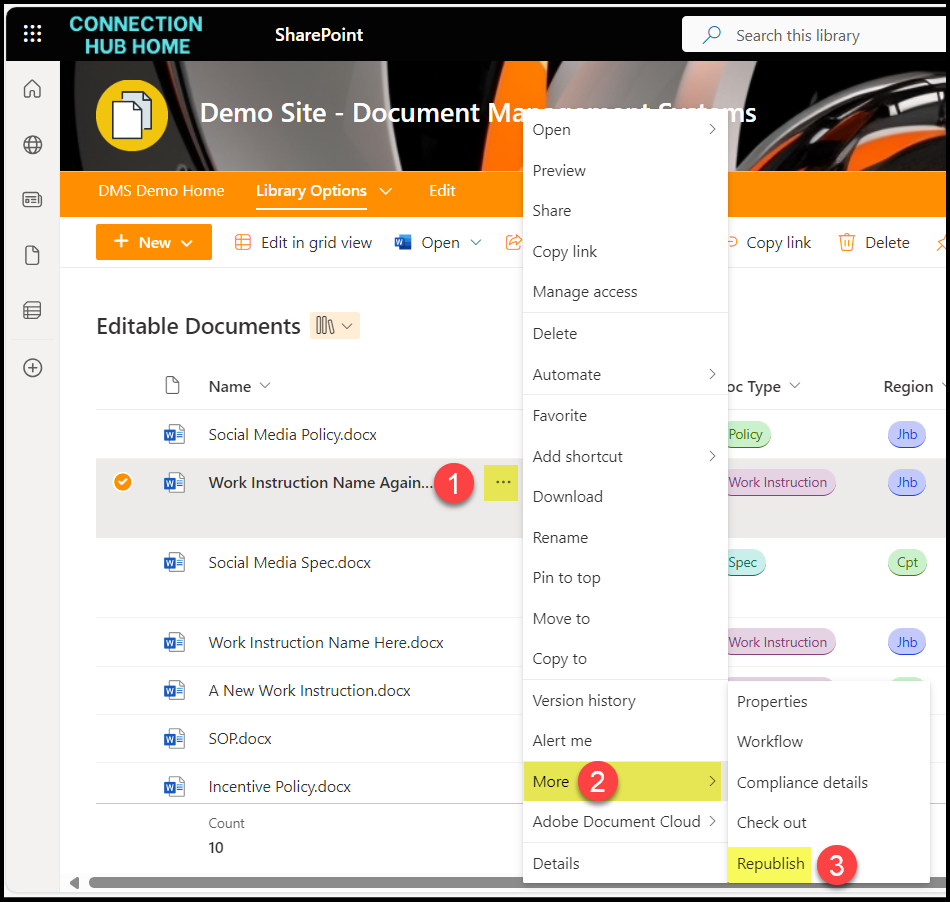
Publish a document as the next major version number, from the three dots > More > Republish.
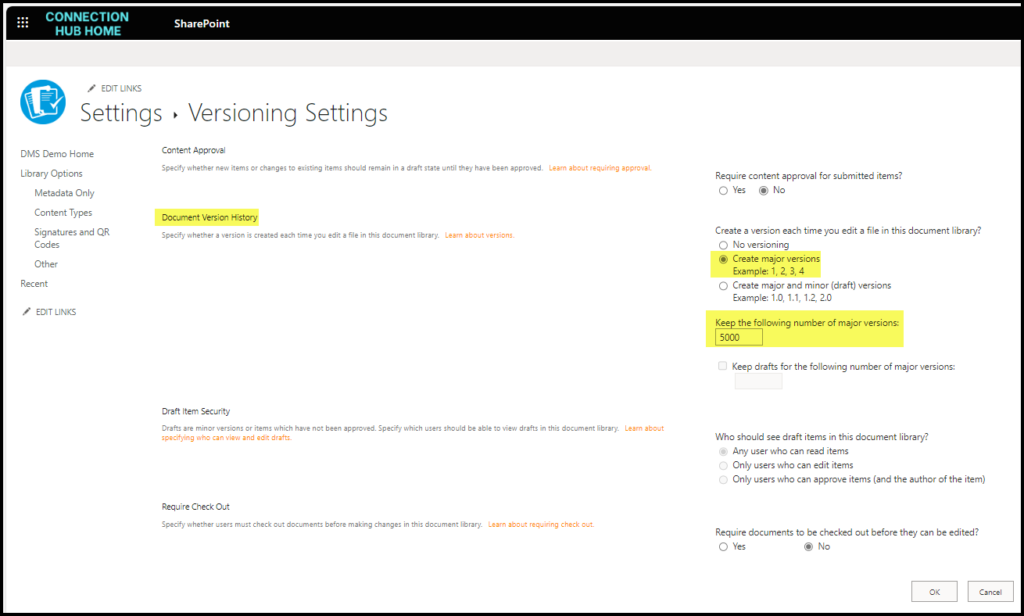
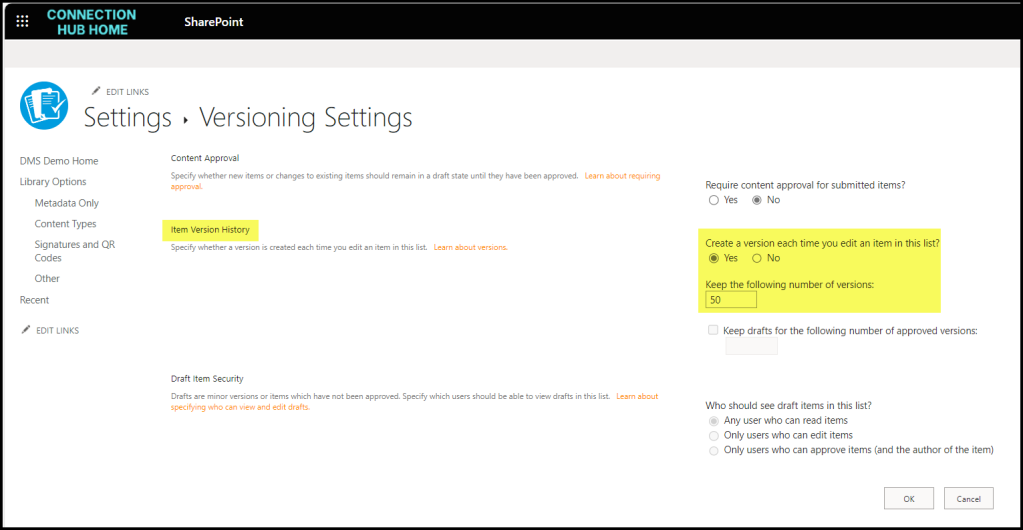
Versioning is switched on in every library by default. Configure the settings in Settings > Library Settings > More Library Settings > Versioning Settings. Versioning is either on or off for a library. You can’t have some documents version controlled and some not. If you need versioning off on some, you need to create a new document library for them.
These are the settings for major versioning.
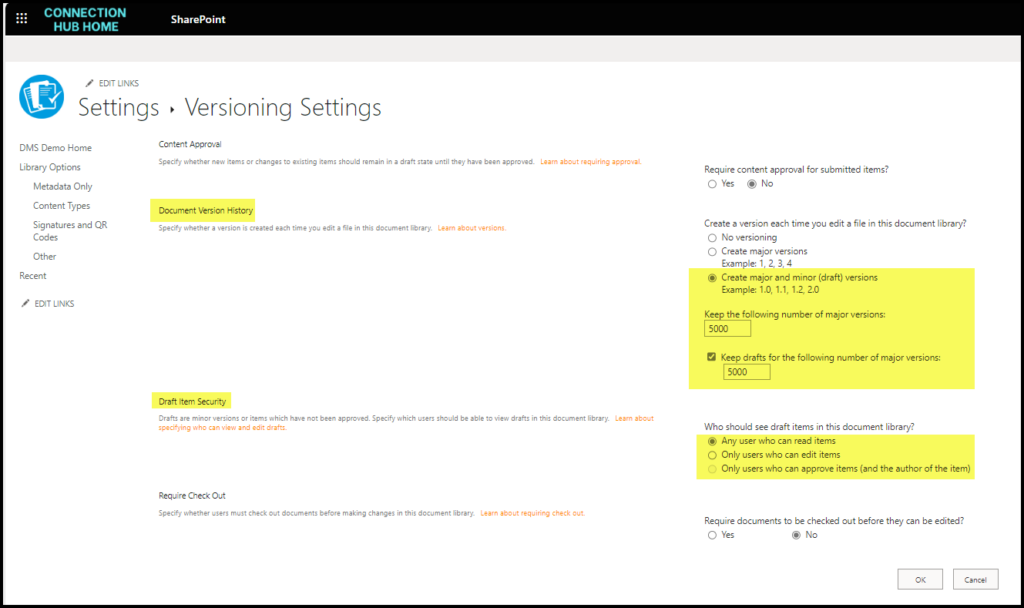
And settings for minor versioning.
Lists Versioning
There is only major versioning available on list level.
Pages Versioning
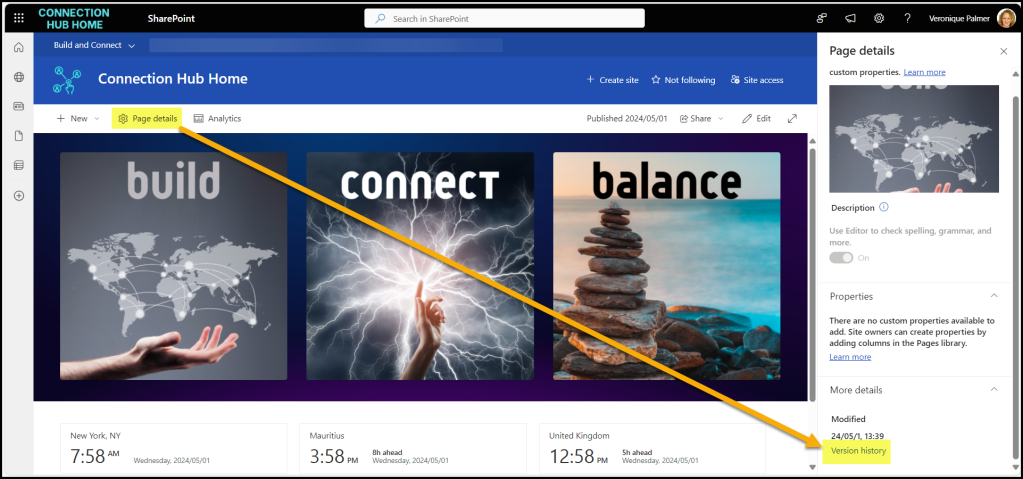
Click on Page Details and Version History on the bottom right to see the versions of pages.
HOT TIP
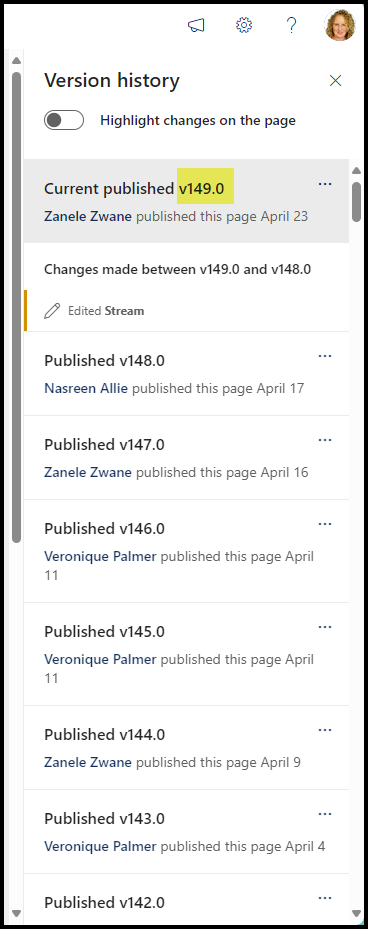
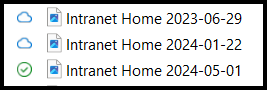
You can rack up hundreds of versions on pages depending on what they are. It here’s one that has 149 versions already. It would be impossible to find an older one without it taking a very long time. So, before you do any major design change, take a screenshot and keep it. That way, if you mess up the design, you can find your way back again easily.